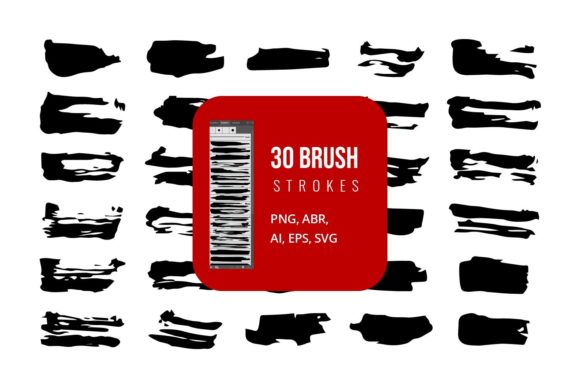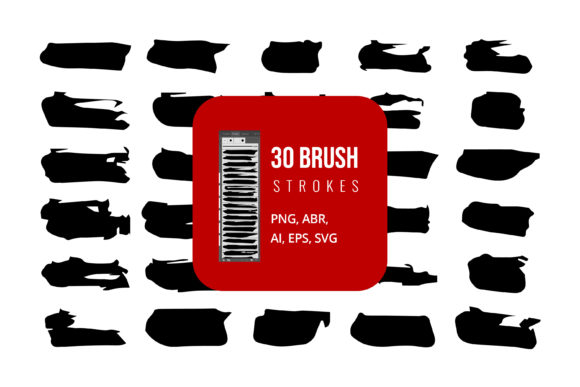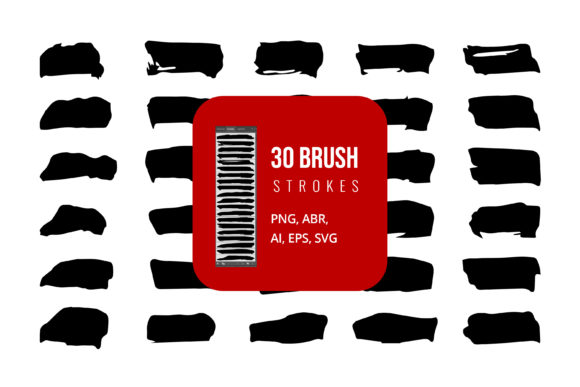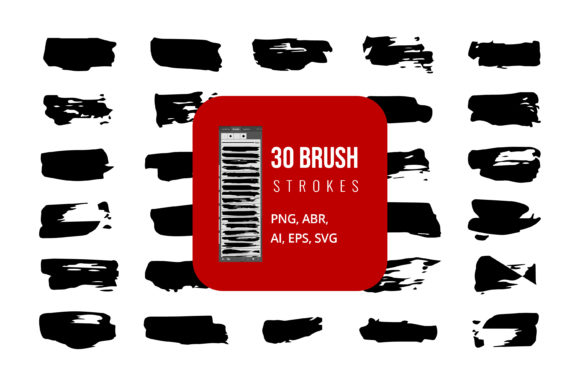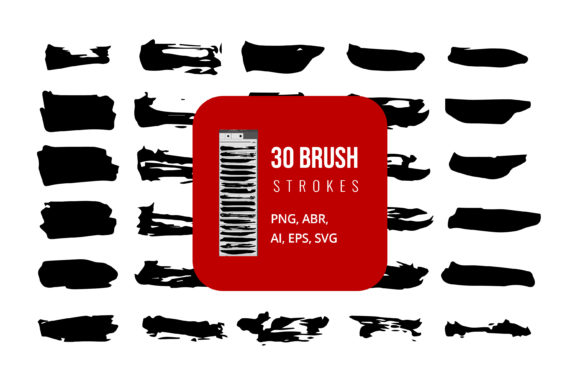
Black Hand Painted Brush Strokes for Designers
In the world of digital design, perfection often feels sterile. While vector shapes and crisp lines have their place, there is a growing demand for texture, imperfection, and the human touch. This is where Black Hand Painted Brush Strokes come into play. These assets are not just simple black lines; they are digitized captures of real paint applied to physical surfaces, offering an organic depth that software algorithms struggle to replicate authentically. Whether you are working in Adobe Illustrator, Photoshop, or even preparing a presentation in Microsoft Word or PowerPoint, these strokes provide a versatile foundation for adding character to your work.
The core value of this collection lies in its flexibility. You aren't locked into a single workflow. The package typically includes AI, SVG, EPS, JPG, PNG, and ABR files. This variety ensures that whether you need a scalable vector for a massive billboard or a raster image with transparency for a social media post, the right format is ready to go. For those using Adobe Photoshop, the included ABR (Adobe Brush) files allow you to paint directly onto your canvas with dynamic pressure sensitivity, mimicking the actual experience of holding a brush.
Why Different Creators Value Organic Textures
The appeal of hand-painted elements varies significantly depending on who is using them and what they hope to achieve. A graphic designer might prioritize the aesthetic quality and how well the stroke blends with other layers, while a small business owner might care more about the speed of deployment and the professional look it adds to marketing materials without hiring an illustrator.
For beginners and hobbyists, the primary draw is often ease of use and the ability to elevate simple projects. Someone creating a personal blog header or a greeting card for a friend may lack the drawing skills to create a convincing ink splatter or a rough wash effect from scratch. By utilizing pre-made Black Hand Painted Brush Strokes in formats like PNG or JPG, they can instantly add a layer of sophistication. The "drag-and-drop" nature of these files removes the intimidation factor of starting with a blank white canvas, allowing them to focus on composition rather than technique.
Conversely, professional designers and illustrators evaluate these assets through a lens of integration and editability. They are less interested in using the strokes as static images and more focused on how they can manipulate them. The inclusion of AI, SVG, and EPS files is critical here. These vector formats allow a pro to ungroup paths, change anchor points, and recolor elements without losing resolution. A professional might take a black stroke, convert it to a clipping mask in Adobe Illustrator, and fill it with a complex gradient or pattern, something impossible with a flat JPG. For this group, the value is in the time saved on texturing, which can then be reinvested in conceptual development.
Practical Applications Across Industries
The utility of these brush strokes extends far beyond traditional graphic design. Different sectors leverage these tools to solve specific communication problems.
- Marketers and Entrepreneurs: In a feed saturated with polished, corporate imagery, authenticity stands out. Marketers use black brush strokes to create underlines, backgrounds, or frames for testimonials and quotes. The roughness of the paint suggests a human endorsement rather than a generated ad. Using these in PowerPoint or Canva-compatible formats allows for quick iteration during campaign planning.
- Educators and Publishers: Textbooks and educational slides often suffer from being too dry. Incorporating hand-painted elements can highlight key terms or separate sections in a way that feels approachable and engaging for students. The high contrast of black on white ensures readability, a crucial factor for educational materials.
- Web Developers and UI Designers: While web design often leans towards minimalism, there is a trend toward "brutalism" and raw aesthetics. SVG files are particularly valuable here because they scale perfectly on any screen size and load quickly. A developer can embed an SVG brush stroke directly into the code to create unique dividers between website sections without relying on heavy image files.
Navigating File Formats for Your Needs
Understanding the file types included in the pack is essential for maximizing their potential. Each format serves a distinct purpose based on your software and end goal.
If your priority is scalability and editing, you should gravitate toward the AI, EPS, and SVG files. These are vector-based, meaning they are defined by mathematical paths rather than pixels. You can resize a vector stroke from the size of a postage stamp to the side of a building without any loss of quality. This is indispensable for print projects like brochures, business cards, or large-format signage. Furthermore, in Adobe Illustrator, you can easily modify the stroke weight or apply effects that remain editable.
If your focus is on speed and texture fidelity, the PNG and JPG files are your best friends. PNGs, specifically those with transparent backgrounds, are ideal for digital compositing. You can drop a PNG brush stroke over a photograph in Photoshop, and it will blend naturally without requiring complex masking. JPGs are useful when file size is a concern and a white background is acceptable, such as in draft documents or quick mockups.
For those who want to paint freely, the ABR (Adobe Brush) files offer a unique advantage. Loading these into Photoshop transforms your cursor into a custom tool. Instead of placing a static image, you can draw new strokes that match the style of the pack. This is vital for artists who need to extend a line or create a custom shape that doesn't exist in the preset library. It bridges the gap between using an asset and creating original art.
Making the Right Choice for Your Project
Deciding whether Black Hand Painted Brush Strokes are right for you comes down to identifying your project's emotional goal. Are you trying to convey precision and technology? If so, these organic forms might clash. However, if your goal is to evoke creativity, tradition, urgency, or artistic flair, they are an excellent match.
Consider the context of your audience. A financial report might require subtle usage, perhaps just a textured underline to break up text, whereas a music festival poster could utilize aggressive, heavy splatters as the main visual theme. The versatility of having both raster and vector options means you can test these different approaches without committing to a single style immediately.
Ultimately, these tools democratize high-quality texturing. They allow a freelancer working from a home office to produce work that rivals big agencies, and they give seasoned veterans a shortcut to achieve consistent results across multiple deliverables. By understanding the strengths of each file type—from the editable paths of an EPS to the dynamic application of an ABR—you can integrate these hand-painted elements seamlessly into your workflow, ensuring your final output feels both professional and distinctly human.