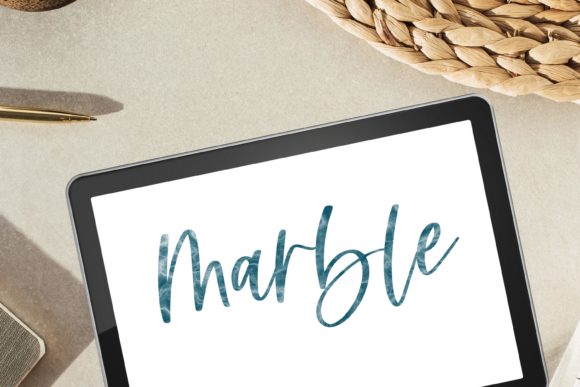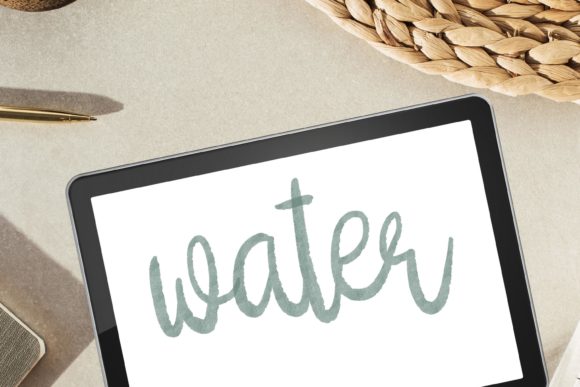
Master Watercolor Lettering in Procreate
Digital art has evolved rapidly, yet many creators still miss the organic unpredictability of traditional media. If you have ever struggled to replicate the soft bleed of water on paper or the delicate texture of a wet brush stroke on your tablet, you are not alone. The Water Procreate Brush for Hand Lettering bridges this gap, offering a seamless blend of modern convenience and classic artistic charm. This tool is designed specifically for artists who want the fluidity of watercolor without the mess, drying time, or cost of physical supplies.
Why Choose Digital Watercolor for Lettering?
Traditional watercolor lettering requires significant practice, high-quality paper, and patience. One wrong move can ruin hours of work. In contrast, using a specialized Procreate Calligraphy Brush with Realistic Watercolor Texture allows for infinite experimentation. You can undo mistakes instantly, adjust opacity with a slider, and layer colors without worrying about the paper warping or pigments muddying unexpectedly.
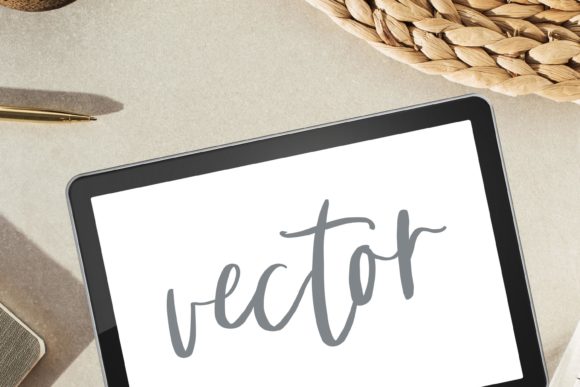
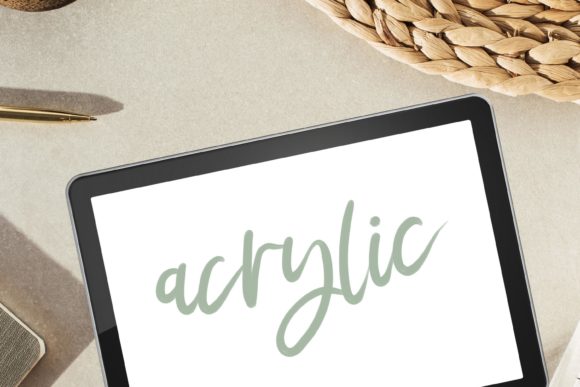
The primary appeal of this brush set lies in its ability to mimic natural phenomena. Real watercolor relies on how water interacts with pigment and paper fibers. This digital tool replicates those bleed, blotchy, and fuzzy edges that give hand-lettered pieces their soul. Whether you are creating wedding invitations, social media graphics, or personal journal entries, the authentic look adds a layer of professionalism and warmth that standard digital fonts simply cannot achieve.
Key Features and Textural Details
Not all digital brushes are created equal. Many standard brushes produce flat, uniform lines that look obviously computer-generated. The Water Procreate Brush for Hand Lettering and Painting stands out because it incorporates complex textures into every stroke. Here is what makes it effective for both beginners and professionals:
- Realistic Bleed and Flow: The brush simulates how water spreads on cold-press paper, creating soft, irregular edges that look naturally dried.
- Textured Variation: Instead of a smooth, plastic line, you get subtle grit and grunge elements. This adds depth, making your lettering look like it was painted on textured stock.
- Pressure Sensitivity: Fully optimized for the Apple Pencil, the brush responds to your touch. Light pressure creates faint, watery whispers, while heavier pressure delivers bold, saturated strokes.
- Versatile Aesthetics: From clean, modern calligraphy to loose, grunge-style lettering, the brush adapts to your hand movement and speed.
These characteristics allow you to create modern lettering that feels tactile. The smooth texture combined with intentional imperfections ensures that no two letters look exactly alike, preserving the human element in your digital work.
Practical Uses for Creators and Businesses
Who benefits most from adding this tool to their library? The answer is almost anyone working in visual communication. Here are several realistic scenarios where this brush shines:
For Freelancers and Small Business Owners
If you run an Etsy shop or a boutique brand, custom typography is a powerful way to stand out. Use the lettering brush to design unique logos, product labels, or packaging inserts. The watercolor aesthetic conveys elegance and craftsmanship, which can justify higher price points for handmade or artisanal goods.
For Educators and Bloggers
Visual content drives engagement. Teachers creating digital worksheets or bloggers designing Pinterest pins can use these brushes to highlight key quotes or titles. The water texture draws the eye without being overly aggressive, making it perfect for educational materials that need to be both attractive and readable.
For Hobbyists and Journalers
Digital planning and journaling have exploded in popularity. Using an iPad for your daily planner allows you to keep all your notes in one place. With this watercolor brush, you can decorate your digital pages with floral accents, headers, and doodles that look hand-painted, enhancing the joy of the journaling process.
How to Get the Best Results
While the brush is user-friendly, understanding how to manipulate its settings will elevate your work. Since this is a Procreate Brush, it leverages the app’s powerful engine. Here are some tips for mastering the medium:
- Layering is Key: Real watercolor builds depth through layers. Start with a light wash of color for your base lettering. Once dry (or on a new layer), add darker shades to the shadows and intersections of letters. This creates a 3D effect.
- Experiment with Opacity: Lower the opacity of your brush to create ghostly, ethereal backgrounds or subtle textures behind your main text. This works beautifully for digital illustration backgrounds.
- Use Clipping Masks: To keep your edges clean, paint your lettering on one layer and add extra splatters or texture on a layer above it, set as a clipping mask. This ensures the extra details stay confined within the shape of your letters.
- Combine with Other Brushes: Don’t be afraid to mix this textured brush with a clean monoline pen for contrast. The juxtaposition of rough watercolor and crisp lines is a hallmark of modern calligraphy.
Important Technical Considerations
Before purchasing, it is crucial to understand the nature of this product. This is a digital file intended for instant download. There is no physical product shipped to your door. To use this brush, you must have an iPad and the Procreate app installed.
Installation Note: Please download and open the files directly on your iPad into Procreate. Attempting to install via a desktop computer can sometimes cause compatibility issues or confusion with file formats. Ensure your Procreate app is updated to the latest version for the best performance.
Additionally, while the brush is designed to be intuitive, results can vary based on your screen protector. Some users prefer a matte screen protector to mimic the friction of paper, which enhances the control you have over the grit and blurry edges of the brush strokes.
Support and Community
Starting with new digital tools can sometimes feel overwhelming. If you encounter any issues during installation or have questions about achieving specific effects, help is available. Don’t hesitate to contact me if you have problems using this product. I’ll do my best to help 🙂 Your success with the Water Procreate Brush for Hand Lettering is the priority, and support is provided to ensure you can start creating beautiful art immediately.
By integrating this tool into your workflow, you unlock a new level of creative freedom. You gain the ability to produce classic Procreate artworks that resonate with the warmth of traditional media, all while enjoying the flexibility and efficiency of digital design. Whether you are refining your hand lettering skills or exploring painting brush techniques for the first time, this resource provides the foundation you need to grow.