Mastering the Acrylic Procreate Lettering Brush
Digital lettering has evolved far beyond simple, sterile vector lines. Today’s audiences crave authenticity, texture, and the tactile warmth of traditional media. This is where the Acrylic Procreate Lettering Brush changes the game. By simulating the rich, opaque behavior of real-world acrylics, gouache, and oil paints, this tool allows creators to bridge the gap between analog charm and digital efficiency. Whether you are a seasoned calligrapher or a graphic designer looking to add organic flair to your branding projects, understanding how to leverage these textured tools can significantly elevate your visual communication.
The Appeal of Textured Digital Media
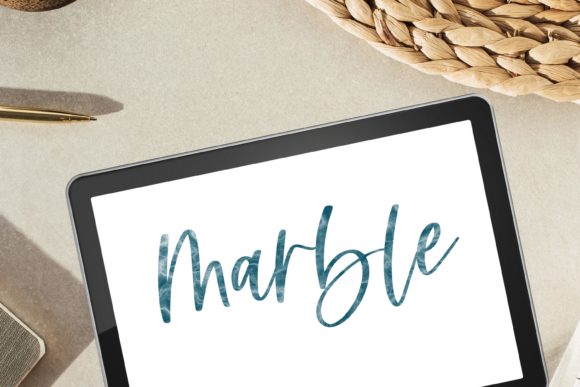
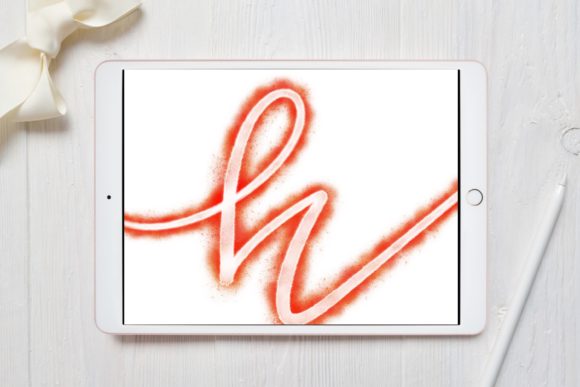
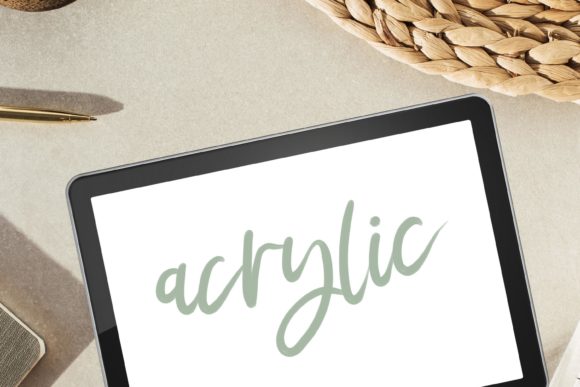
For years, digital illustration suffered from a "too perfect" reputation. Lines were uniform, colors were flat, and edges were crisp. While precision has its place, it often lacks the emotional resonance of hand-made art. The Acrylic Procreate Brush for Hand Lettering and Painting introduces controlled imperfection. It mimics the way paint interacts with paper—creating slight bleeds, gritty edges, and varied opacity based on pressure and speed.
This Procreate Calligraphy Brush with Oil Acrylic Gouache Texture does not just apply color; it applies character. When you stroke across the canvas, the brush engine calculates the digital "tooth" of the surface, resulting in a look that feels grounded and human. This is particularly vital for modern calligraphy and hand-lettering, where the flow of ink and the weight of the hand are central to the aesthetic. By using a brush that replicates these physical properties, you save hours of post-processing that would otherwise be spent adding noise, textures, or roughening edges manually.
Key Characteristics and Strengths
What sets this specific brush set apart is its versatility in mimicking various heavy-body mediums. Here is why it stands out in a crowded marketplace of digital assets:
- Authentic Texture Simulation: The brush captures the essence of grit, grunge, and fuzzy edges. It avoids the plastic look common in standard digital brushes, offering a smooth yet textured finish that resembles high-quality acrylic or gouache.
- Dynamic Pressure Sensitivity: Designed for the Apple Pencil, the brush responds intuitively to tilt and pressure. Light touches create delicate, blurry bleeds, while firm pressure lays down opaque, bold strokes reminiscent of oil paint.
- Versatile Medium Blend: It is not limited to one style. You can achieve the matte finish of gouache, the glossy depth of oil, or the vibrant solidity of acrylics, all within the same toolset.
- Instant Workflow Integration: As a digital file for instant download, there is no waiting for shipping. You can import the brush directly into Procreate on your iPad and start creating immediately.
Practical Applications for Creators and Professionals
The utility of the Acrylic Procreate Lettering Brush extends far beyond hobbyist sketching. Its robust feature set makes it a valuable asset across various professional and creative environments.
Branding and Marketing Materials
In an era where brands strive to appear approachable and authentic, textured typography is a powerful tool. Marketers and entrepreneurs can use this brush to create social media graphics, logo concepts, and promotional banners that feel hand-crafted. A quote overlay on an Instagram post, rendered with a textured lettering style, often performs better than sterile sans-serif fonts because it catches the eye and conveys personality. It helps humanize digital brands, making them feel more relatable to their audience.
Educational and Editorial Content
Educators and bloggers can utilize these brushes to create engaging headers, worksheets, and illustrative diagrams. The modern lettering style achievable with this tool adds a layer of sophistication to educational materials, making them less intimidating and more visually appealing. For publishers and freelance writers, custom chapter headings or pull quotes created with this brush can add a unique signature style to ebooks and online articles, enhancing reader engagement.
Commercial Art and Product Design
Freelancers and business owners selling print-on-demand products can leverage the painting brush capabilities to design t-shirts, mugs, and posters. The high-resolution output ensures that the gritty, blotchy details remain crisp when printed. Because the brush mimics traditional media, the resulting designs have a timeless quality that appeals to customers looking for artisanal aesthetics rather than mass-produced graphics.
Maximizing Efficiency and User Experience
One of the most significant benefits of using a specialized Procreate Brush like this is workflow efficiency. In traditional media, achieving a specific acrylic texture requires specific papers, paints, drying times, and scanning processes. Digitally, this is condensed into a single stroke. You can undo, resize, and recolor instantly without losing the texture integrity. This rapid iteration capability allows designers to experiment with different compositions and color palettes much faster than they could with physical supplies.
Furthermore, the learning curve is gentle for anyone familiar with basic digital drawing. The brush is engineered to feel natural, reducing the friction between idea and execution. For professionals, this means quicker turnaround times for client projects. For hobbyists, it means less frustration and more time enjoying the creative process.
Technical Considerations and Best Practices
To get the most out of your Acrylic Procreate Lettering Brush, keep the following technical details in mind:
- Device Compatibility: This product is designed exclusively for use with an iPad and the Procreate app. It is not compatible with Photoshop, Illustrator, or Android tablets. Ensure your Procreate app is updated to the latest version for optimal performance.
- Installation Method: For the best results, download the file directly onto your iPad. Opening the file directly into Procreate ensures the brush settings, including pressure curves and texture maps, are imported correctly. Transferring via desktop can sometimes corrupt specific brush dynamics.
- Layer Management: To mimic the layering effect of real paint, consider using multiple layers with different blend modes. Placing a textured stroke on a "Multiply" layer over a base color can create depth similar to glazing in traditional painting.
- Canvas Resolution: Always work at a high DPI (300 or higher) if you intend to print your work. The detailed grit and grunge textures require sufficient resolution to look sharp rather than pixelated.
Support and Community
Digital tools can occasionally present setup challenges, especially when dealing with file imports and software updates. If you encounter any issues using this product, do not hesitate to reach out. Support is available to help troubleshoot installation problems or answer questions about brush settings. The goal is to ensure you have a seamless experience, allowing you to focus on creation rather than configuration. Remember, this is a digital product; no physical item will be shipped. Once downloaded, the files are yours to keep and use in your personal and commercial projects, subject to the license terms provided.
By integrating the Acrylic Procreate Lettering Brush into your toolkit, you are not just downloading a file; you are adopting a new way of seeing digital space. It invites you to slow down, appreciate the texture of the stroke, and bring a touch of the physical world into your digital canvas. Whether you are crafting a modern calligraphy piece, designing a brand identity, or simply exploring the joys of digital painting, this brush offers the reliability of technology with the soul of traditional art.